





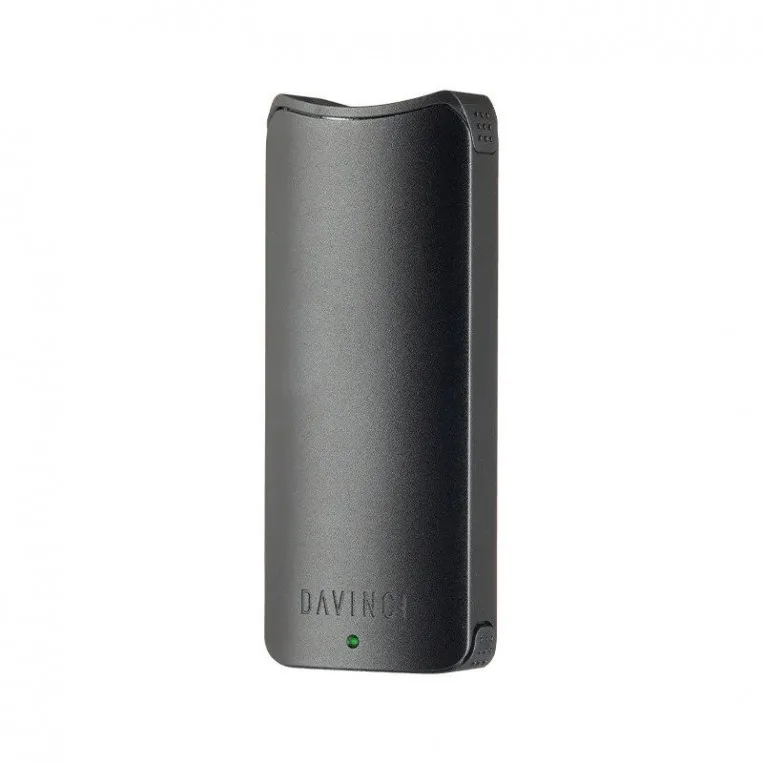
Want to change DaVinci Artiq power setting but not sure how? This guide covers all 3 power settings, what each one does, and which davinci artiq voltage works best for your 510 battery vape cart sessions. It only takes a second once you know the trick.
How to Change DaVinci Artiq Power Setting
The DaVinci Artiq has 3 power modes accessible with a simple button sequence. Here’s how:
- Make sure the device is powered on (5 clicks to toggle power)
- Press the button 3 times to cycle through the artiq power modes
- The LED at the top changes color to show the current level
No menus, no app, no complexity — just 3 clicks and you’re done. The change davinci artiq power setting process takes under a second.
Artiq Power Modes Explained
The artiq blue yellow red setting system makes it easy to know your current level at a glance:
- Blue (Low): Lowest voltage. Minimal vapor but maximum flavor — great for terpene-forward sessions.
- Yellow (Medium): Balanced vapor and flavor. The most popular choice for everyday sessions.
- Red (High): Maximum vapor production. More heat, which may slightly reduce flavor. Best when you need big clouds or your cart is running low.
The cycle goes: Blue → Yellow → Red → Blue. Three presses step you forward one level at a time.
Best DaVinci Artiq Voltage for Your Session
For most vaping sessions with 510 carts, Yellow is the sweet spot. It gives solid vapor without sacrificing the flavor profile of your oil. Move to Red when you want bigger clouds or need to drain a nearly-empty cart. Drop to Blue if you’re using high-quality terpene-rich oil and want to taste every note.
Thicker, higher-viscosity oils tend to hit better at Yellow or Red. Thin distillate performs well at any level. Try each of these settings over a few sessions to find what works best for your specific oil. The davinci artiq voltage flexibility is one of the reasons this device is popular among 510 battery users. Experimenting with each level is quick and risk-free — press the button three times and compare results across a few sessions.
Battery Check and Other Button Functions
A single press of the power button shows battery level — Green means above 60% charge. This is separate from the power mode indicator. Knowing your battery level before a session helps avoid running out mid-cart. The five-click sequence handles power on/off. These simple controls make the Artiq one of the most user-friendly 510 battery vape cart devices available.
Frequently Asked Questions
How many artiq power modes are there?
Three artiq power modes: Blue (low), Yellow (medium), and Red (high). Cycle through them with 3 button presses.
What setting is best for flavor on the DaVinci Artiq?
Blue (low) preserves the most terpenes and gives the best flavor. Less vapor, but the taste is noticeably richer.
Does the color-coded heat setting affect my oil?
Yes. Higher heat from the artiq blue yellow red setting at Red can burn off some terpenes. Start lower and increase only if you need more vapor production.
Is the DaVinci Artiq good for vaping 510 carts?
Yes. The 510 battery vape cart compatibility, adjustable voltage, and compact design make the Artiq a reliable and versatile option.
Whether you are new to the DaVinci Artiq or a longtime user, understanding the three heat levels can significantly improve your experience. Starting at the lowest level and working upward lets you dial in the ideal balance of vapor and flavor for your preferred oil. With just a few testing sessions you will quickly discover which setting suits your personal style best — and switching is always just three button presses away.
References
Learn More on Herbistry420
Purchase Links
Also check out our merch at merch.herbistry420.com — it supports the channel!
Note: Some links are affiliate links. Purchases through these links support the channel at no extra cost to you.
Add comment