





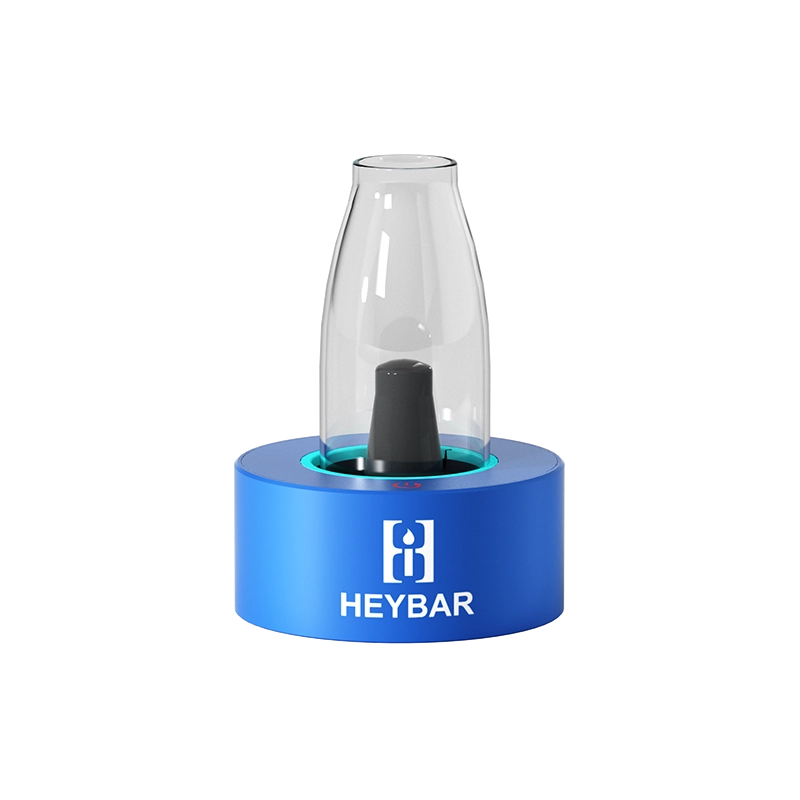
The HeyBar OLA desktop vaporizer is a compact, three-in-one desktop concentrate vaporizer designed to let you sip vapor from a cup — no bong required. In this OLA desktop vaporizer review, we run it through its paces with both a homemade 510 rosin cart and a direct rosin dab in the triple quartz atomizer. Spoiler: it gets you very high, very fast. Use the HeyBar Devices coupon code herbistry420 at checkout for 10% off your order.
HeyBar OLA Desktop Vaporizer: What’s in the Box
The HeyBar OLA desktop vaporizer ships with the main unit, the cup with vapor-directing arm, a USBC charging cable, a dab tool, Q-tips for cleaning the ceramic bowl atomizer, and a wire brush. It does not include a 510 cart — bring your own. The cup has a silicone arm inside that directs vapor downward as it fills so it doesn’t escape before you hit it.
5 Amazing Features of the HeyBar OLA Desktop Vaporizer
- Three attachment options. The HeyBar OLA desktop vaporizer accepts a 510 cart, a ceramic bowl atomizer, and a triple quartz atomizer — all screwing into the same main unit. This makes it a genuinely versatile desktop concentrate vaporizer for any session style.
- Four power modes. Press the power button three times to cycle through green (low), yellow, blue, and red (highest) modes. Red mode delivers the most powerful hits and is ideal for rosin dabs.
- Cup vapor collection system. Unlike a dab rig, the HeyBar OLA desktop vaporizer fills a cup with vapor that you then inhale from. The silicone arm inside the cup keeps vapor from escaping before you’re ready — press once to stop filling, then lift and inhale.
- USBC charging. The charging port is on the back of the unit. Charge fully before first use. The device also works while plugged in so you never have to stop mid-session.
- Simple two-press activation. Once in your chosen power mode, press twice to begin vaporizing, once to stop. Clean and intuitive after a minute of practice.
How to Use the HeyBar OLA Desktop Vaporizer
Turn the HeyBar OLA desktop vaporizer on or off by pressing the power button five times. Cycle through the four power modes with three presses. Once your ceramic bowl atomizer or 510 cart is loaded and screwed in, place the cup on top and press twice to begin vaporizing. Press once to stop. Lift the cup and inhale.
One minor critique: the power button sits flush with the device body, which can make it tricky to locate mid-session. Once you know where it is, it’s not an issue — but it’s worth noting in any honest OLA desktop vaporizer review.
OLA Desktop Vaporizer Review: Performance and Verdict
Testing the HeyBar OLA desktop vaporizer with a homemade rosin 510 cart and a direct rosin dab in the triple quartz atomizer both delivered powerful, flavor-forward results. The cup fills smoothly with dense vapor and the hits are substantial. By the end of the session, finishing the video was a genuine challenge — which is perhaps the most honest performance review possible for a desktop concentrate vaporizer.
If you want a versatile desktop rig that handles carts, wax, and rosin with equal confidence, the HeyBar OLA desktop vaporizer earns a solid recommendation. Use the HeyBar Devices coupon code herbistry420 at HeyBarDevices.com for 10% off your order.
Frequently Asked Questions
What atomizers does the HeyBar OLA desktop vaporizer include?
The HeyBar OLA desktop vaporizer includes a ceramic bowl atomizer and a triple quartz atomizer. It also accepts any standard 510 cart. All three screw into the same main unit, making it a true 3-in-1 desktop concentrate vaporizer.
What is the HeyBar Devices coupon code?
Use HeyBar Devices coupon code herbistry420 at HeyBarDevices.com for 10% off any purchase, including the HeyBar OLA desktop vaporizer.
Can you use the HeyBar OLA vaporizer with rosin?
Yes — load a small amount of rosin into the triple quartz atomizer with a dab tool, screw it in, place the cup on top, and press twice. The HeyBar OLA desktop vaporizer handles rosin very well on the red (highest) power mode.
How do I turn on the HeyBar OLA desktop vaporizer?
Press the power button five times to turn the device on or off. Press three times to cycle between the four power modes (green, yellow, blue, red). Press twice to begin vaporizing and once to stop.
References
Learn More on Herbistry420
Purchase Links
HeyBar OLA Desktop Vaporizer (use code herbistry420 for 10% off):
🛒 HeyBar Devices — OLA Desktop Vaporizer
Note: Some links are affiliate links. Purchases through these links support the channel at no extra cost to you.
Add comment