

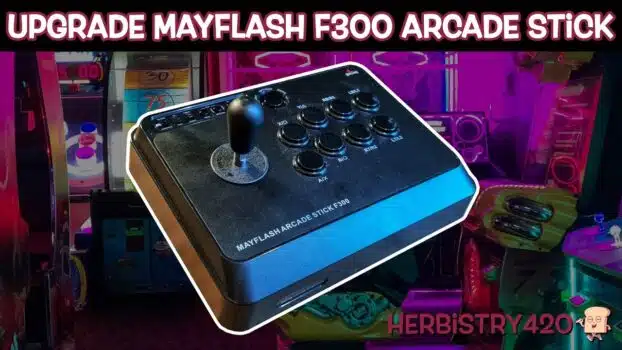


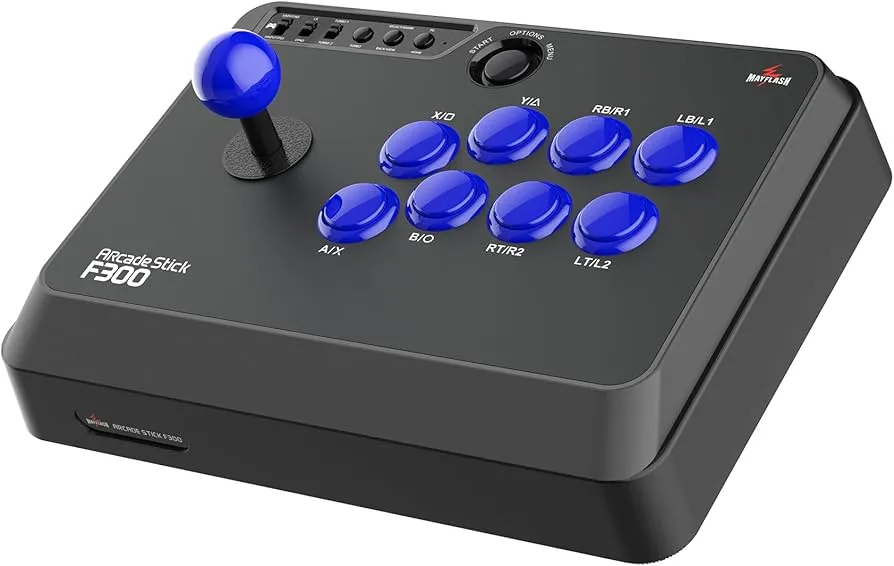
A MayFlash F300 arcade stick mod is one of the best budget upgrades in gaming — spend about $50 on new parts and turn an entry-level stick into something that rivals $200+ arcade controllers. In this guide we walk through every step of the F300 joystick replacement and button swap, including the soldering technique needed when your new joystick doesn’t have a plug-in cable.
Why the MayFlash F300 Arcade Stick Mod Is Worth It
The MayFlash F300 is a solid entry-level arcade stick with one big weakness: the stock joystick and buttons feel cheap. Replacing them with quality Sanwa or compatible parts transforms the entire experience. The MayFlash F300 arcade stick mod costs around $50 in parts and takes a couple of hours — the result feels and plays like a professional-grade fight stick.
5 Simple Tips for Your MayFlash F300 Arcade Stick Mod
- Arcade stick button swap is the easy part — Each button has two small clips on the top and bottom. Press them together and the button pops straight out. Slide the wiring connector off the old button and onto the new one, then press the new button into place until it clicks. This arcade stick button swap takes about two minutes per button and requires no tools.
- Check if your joystick needs soldering — Most tutorials show F300 joystick replacement using a joystick that comes with a cable you plug into the board. Some aftermarket joysticks (like the one used here) do not include this cable and require soldering instead. Check your joystick package before you start — if there is no cable included, plan for soldering.
- Solder arcade stick joystick wires correctly — The MayFlash F300 board has three solder points per directional (up/down/left/right). When you solder arcade stick joystick wires, use the single solder point that is one position away from the adjacent pair on each directional. If directions end up reversed after installation, simply rotate the joystick plate 180° and re-test — this fixes the issue instantly without re-soldering.
- Use a Phillips #2 screwdriver — The F300 has six screws total (three per side) holding the bumper panels on. Using a Phillips #1 head will strip the screws — use a #2 only. A small precision screwdriver set works perfectly for this mod.
- MayFlash F300 Xbox Series X compatibility setup — To use the modded stick on MayFlash F300 Xbox Series X or S, plug your regular Xbox controller into the back of the F300 via USB-A. Connect the F300 to the Xbox via USB. Set the mode switch on the left side of the stick to the middle position (joystick mode). Without the original controller connected, the F300 will not be recognised by the Xbox.
Results: What to Expect After the Mod
After completing the MayFlash F300 arcade stick mod, the stick feels dramatically different — precise, responsive, and satisfying. Games like Galaga, Street Fighter, and other classic arcade titles play exactly as they should on proper hardware. The total investment (F300 + parts) is well under $150, compared to $200+ for a pre-built premium stick.
Frequently Asked Questions
Do I need to solder for the MayFlash F300 arcade stick mod?
It depends on the replacement joystick you buy. Many Sanwa JLF joysticks come with a 5-pin cable that plugs directly into the F300 board — no soldering required. If your joystick does not include a cable, you will need to solder arcade stick joystick wires to the board’s directional pads, as shown in this guide.
What joystick and buttons work for F300 joystick replacement?
Sanwa and Seimitsu parts are the most popular choices for F300 joystick replacement. Sanwa JLF joysticks and Sanwa OBSF buttons are widely considered the gold standard for arcade sticks. Both are drop-in compatible with the MayFlash F300 form factor.
Will the modded F300 work on PS4 or PS5?
The base MayFlash F300 supports PS4, Xbox, PC, and Switch via a compatibility switch. The MayFlash F300 Xbox Series X setup described here uses Xbox mode. For PS4/PS5 compatibility, check the MayFlash F300 mode switch position and connect the appropriate original controller to the passthrough port.
References
Learn More on Herbistry420
Purchase Links
🛒 If you want to skip the hassle of soldering, you can purchase the Sanwa JLF-TP-8YT Joystick + Button Pack – https://amzn.to/3K2dCqA
🛒 Sanwa JLW-UM-8 Bat Top Joystick – https://www.arcadeworlduk.com/products/Sanwa-JLW-UM-8-Bat-Top-Joystick.html
🛒 Sanwa OBSF-30 Snap In Arcade Button – https://www.arcadeworlduk.com/products/Sanwa-OBSF-30-Arcade-Button.html
Support Herbistry420 by visiting our Cannabis Apparel Store, we have t-shirts, hoodies, pants, towels, you name it!
Note: Some links are affiliate links. Purchases through these links support the channel at no extra cost to you.
Add comment