

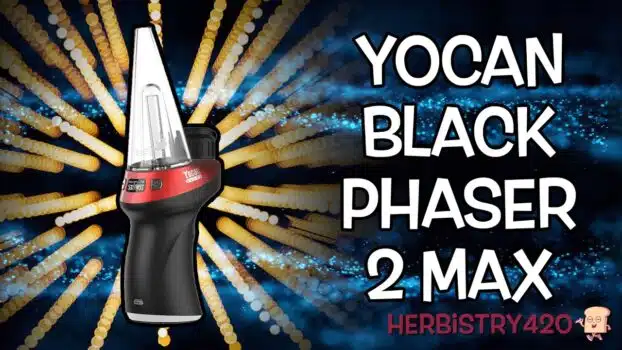


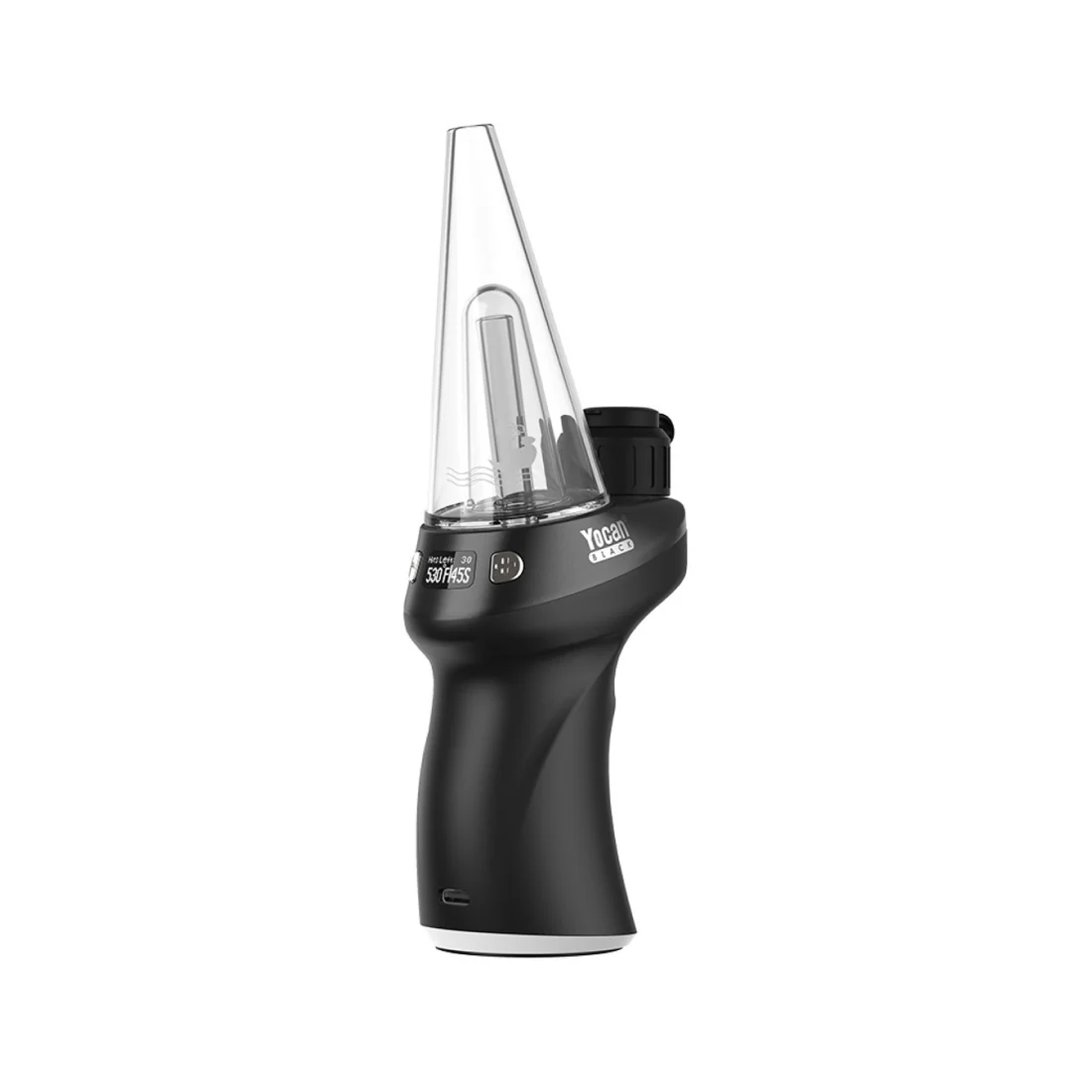
This Yocan Black Phaser 2 Max review covers one of Yocan’s most refined e-rigs to date. From the ergonomic trigger-style button to the Cloud 2 3D atomizer and Smoke OS interface, the Phaser 2 Max packs serious performance into a device that genuinely feels good in your hands. Here are 5 reasons it stands out.
Yocan Black Phaser 2 Max Review: First Impressions
The Yocan Black Phaser 2 Max is part of Yocan’s premium Black series — designed for users who want a polished, feature-rich e-rig without the clutter of overly complex setups. The first thing you notice is the ergonomics: whether you’re left-handed or right-handed, the trigger-style main button and compact form factor make this comfortable to hold and use for extended sessions.
Yocan sent this unit directly for review, and after running it through dab sessions with concentrates and terp pearls, this Yocan Black Phaser 2 Max review can confirm: it delivers on the premium promise.
5 Best Features of the Yocan Black Phaser 2 Max
- Cloud 2 3D Atomizer — The Cloud 2 atomizer (10mm wide, 6.5mm deep) heats concentrates from the sides AND the bottom simultaneously. This 3D heating approach produces more even vaporization and better flavour than conventional single-surface atomizers. Add the included terp pearls and they spin during your draw, creating even more uniform heat distribution for cleaner, fuller hits.
- Smoke OS Interface — The Yocan Black Phaser 2 Max runs Smoke OS, displayed on an LCD screen on the back of the unit. The screen shows your current temperature, remaining session time, and predicted hits remaining based on battery level. Temperature is adjustable; session time can be set from 20 to 40+ seconds. Three presses of the trigger enter the menu; one press lets you adjust session time; up/down arrows handle temperature.
- Trigger-Style Main Button — Placed on the front of the device, the trigger button operates like a pistol grip — your index finger fires the session while your thumb navigates up/down arrows on the back. It’s an intuitive layout that makes single-handed operation completely natural.
- Built-in W-Shaped Bubbler — The included water attachment fills to a graphic waterline, connects snugly with no directional alignment needed, and provides smooth water filtration without splashback (as long as you don’t draw aggressively hard). It pops off and on easily for cleaning.
- Generous Accessories Package — In the box: 12 terp pearls, a dab tool, cotton swabs, and a USB-C cable. The dab tool is notably robust — thick and solid. The terp pearls included are enough to outfit the atomizer immediately and keep spares for future use.
Navigating Smoke OS on the Yocan Black Phaser 2 Max
Smoke OS is the operating system running on the Phaser 2 Max’s LCD. Here’s a quick reference for the controls:
- Power on/off: Press trigger 5 times
- Adjust temperature: Press up/down arrows while on the main screen
- Adjust session time: Press trigger once, then use up/down arrows
- Enter menu: Press trigger 3 times
- Menu options: Fahrenheit/Celsius toggle, LED light on/off, 3-day usage history
- Auto-fire session mode: Press trigger 2 times
The Smoke OS also shows how many hits remain based on the current battery, temperature, and session time settings — a thoughtful feature that helps you plan sessions without unexpected shutdowns.
Dab Session Performance
Loading the Phaser 2 Max is straightforward: remove the silicone carb cap and sleeve, add your concentrate, replace the cap and sleeve, then fire the session with two trigger presses in auto-fire mode or by holding the trigger manually. The bubbler handles the vapor smoothly, and the Cloud 2 atomizer with terp pearls delivers consistent, flavourful hits across the temperature range.
One important note: the silicone carb cap develops residue quickly with regular use. Cleaning the cap and atomizer after sessions keeps performance at its peak — cotton swabs and isopropyl alcohol are your best tools here, and the Phaser 2 Max ships with cotton swabs for exactly this purpose.
Frequently Asked Questions
What is the Yocan Black Phaser 2 Max?
The Yocan Black Phaser 2 Max is a premium e-rig from Yocan’s Black series. It features a Cloud 2 3D atomizer with terp pearl support, Smoke OS on an LCD display, a trigger-style button, W-shaped bubbler, USB-C charging, and temperature/session time control.
Does the Yocan Black Phaser 2 Max use terp pearls?
Yes. The Cloud 2 atomizer includes a silicone carb cap with internal grooves that cause terp pearls to spin during your draw. This improves even heat distribution across concentrates for more consistent vapour production. Twelve terp pearls are included in the box.
What is Smoke OS on the Yocan Black Phaser 2 Max?
Smoke OS is Yocan’s operating system on the Phaser 2 Max’s LCD screen. It displays current temperature, session time, and estimated hits remaining based on battery and settings. The menu (3 trigger presses) allows you to toggle Fahrenheit/Celsius, turn the LED on/off, and review 3 days of usage history.
How do I clean the Yocan Black Phaser 2 Max atomizer?
Remove the silicone carb cap and sleeve, then use cotton swabs dipped in isopropyl alcohol to clean the atomizer walls and carb cap. The Phaser 2 Max includes cotton swabs for this purpose. Regular cleaning after sessions prevents resin buildup and maintains flavour quality.
References
Learn More on Herbistry420
Purchase Links
Save 10% on the Yocan Black Phaser 2 Max:
🛒 Yocan Black Phaser 2 Max
👕 Herbistry420 Merch (t-shirts, tank tops & more)
Note: Some links are affiliate links. Purchases through these links support the channel at no extra cost to you.
Add comment